How Chuphin works.
From setup to download in three simple steps.
Choose and buy your credit package
Select the credit pack that fits your estimated guest size. Each scan credit allows a single guest to scan the QR code and unlock exactly 5 photos. Need more credits during your event? Top up instantly from your host dashboard. Your credits belong to this one event, and you run one event at a time, so pick the pack that fits the occasion. We have packages for every occasion, from weddings and birthdays to corporate events, school formals and beyond.
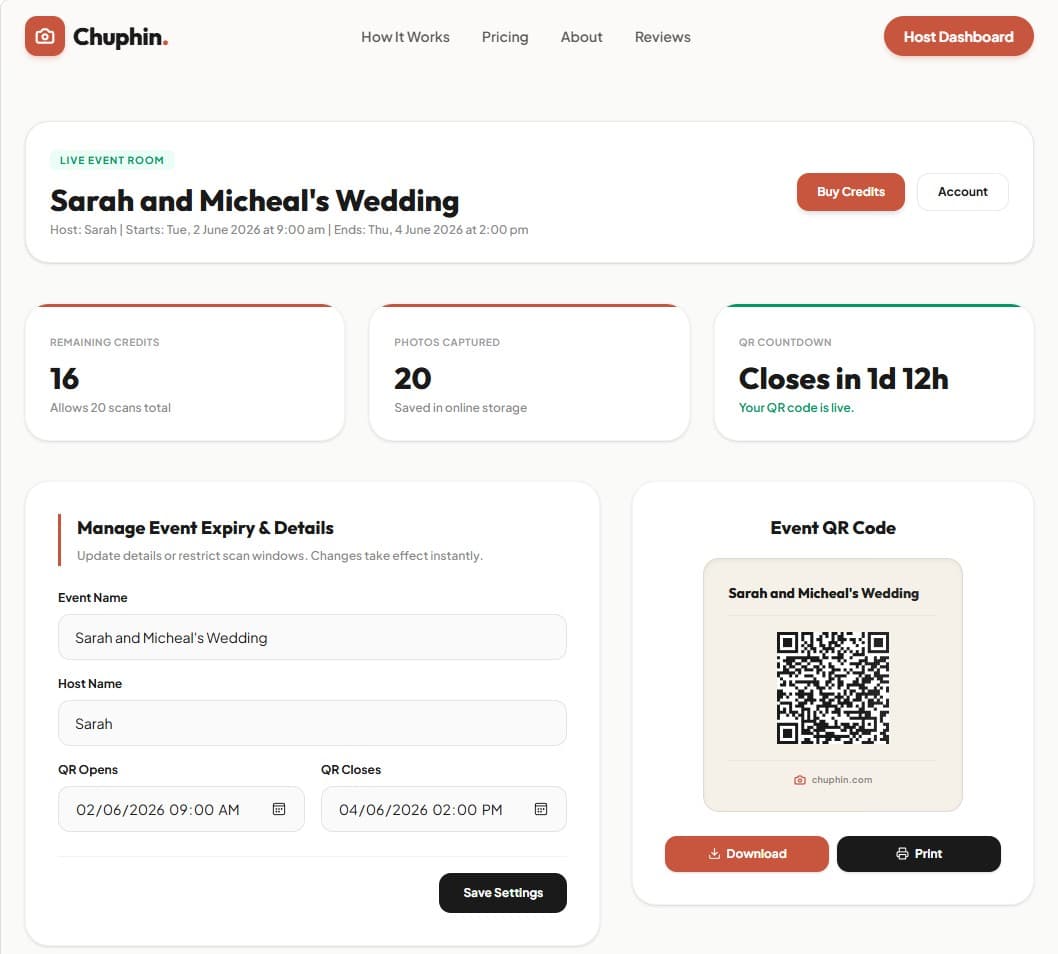
Configure your event and download the QR code
Type in your event name (e.g., "Sarah & Michael's Wedding") and set your event start and end times. Your event window is fully customisable, so you decide exactly when guests can scan. Once submitted, our system generates your unique QR code instantly. Customise your event name on the QR card from the dashboard, then download or print it.
Sarah & Michael's Wedding
Guests scan, input name, and snap 5 photos
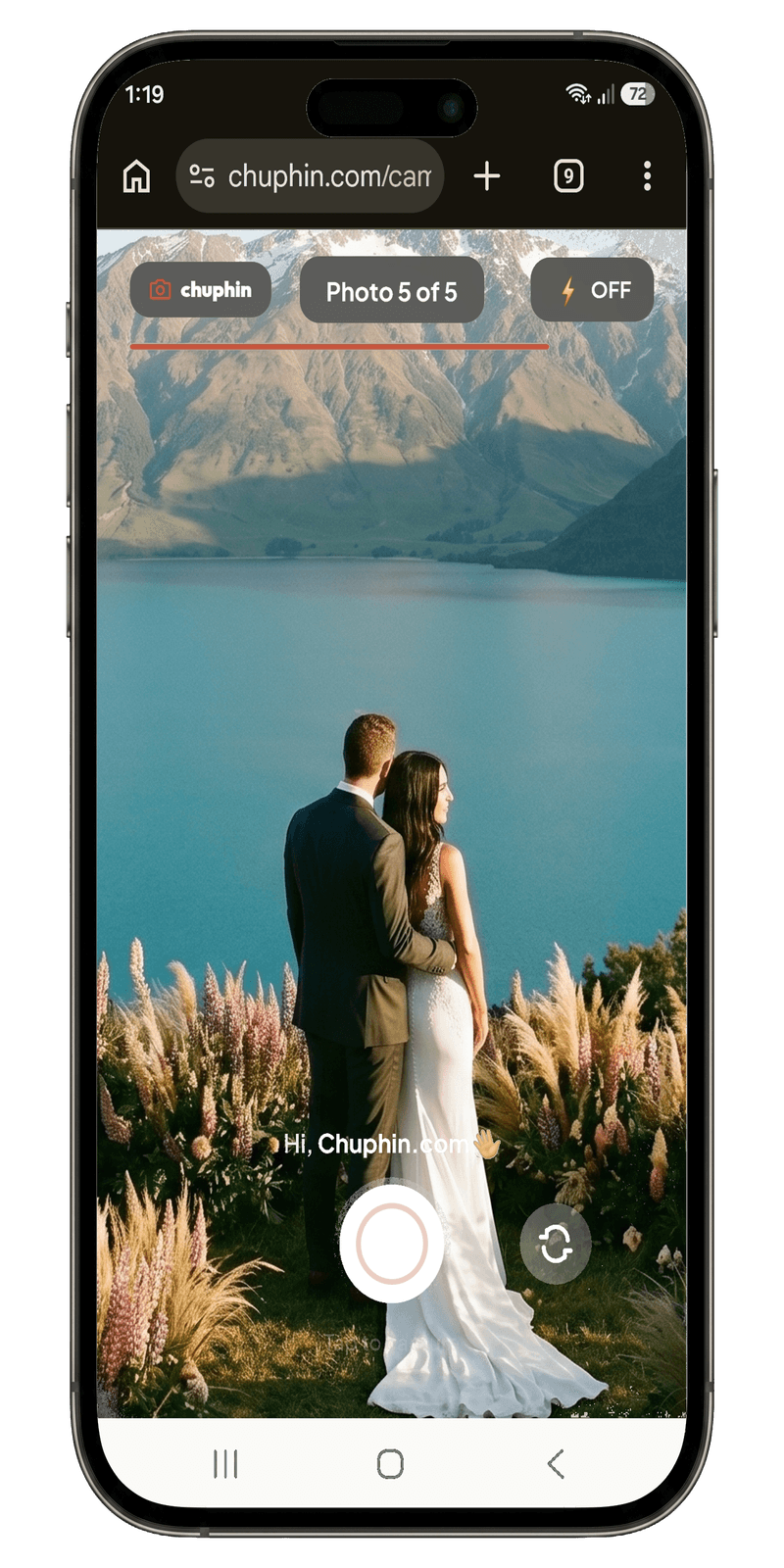
Guests scan the QR code using their built-in phone camera app. It opens their phone browser instantly. Absolutely no app downloads or signups required. They enter their first name to label their shots, pick from six film-style filters, like the '90s digi cam look, faded retro film and classic black and white, and click the camera shutter button to take exactly 5 photos. Once their limit is reached, their camera closes.
Watch photos populate your private host gallery
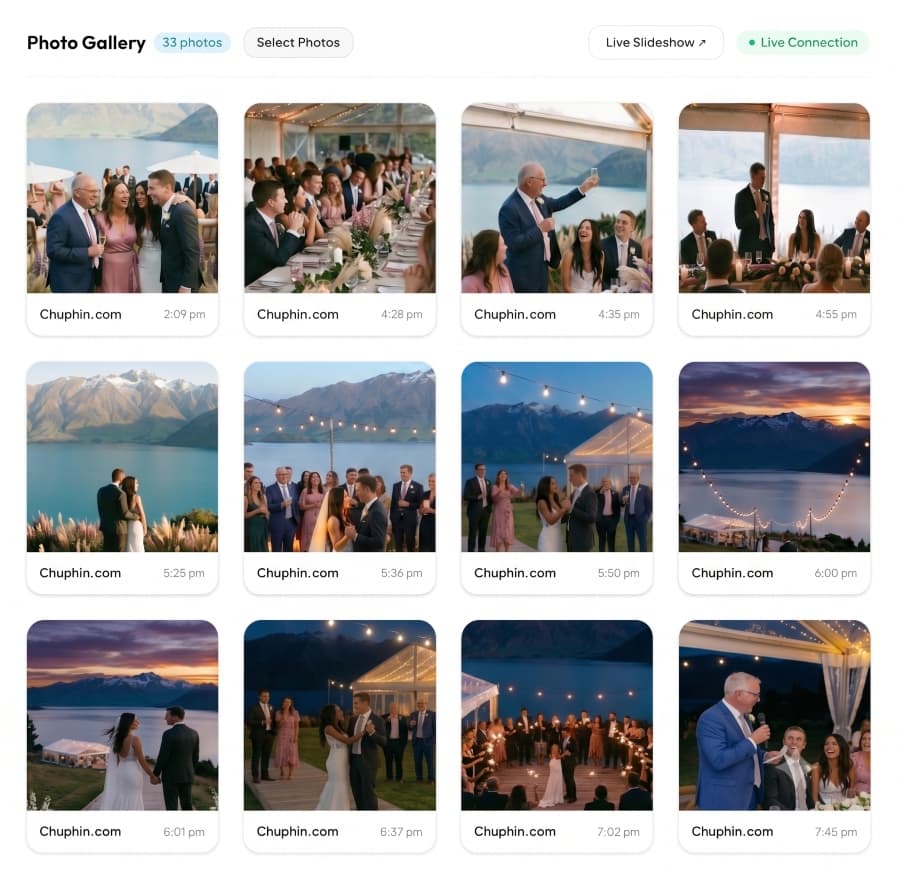
Every single photo taken by guests uploads in real time to your secure host gallery. There is no lag. You can view the live feed on your desktop or mobile dashboard, delete unwanted shots instantly, and monitor the event count. Want to share the action? Cast or mirror your dashboard to a display screen at your event.
Bulk download or order a high-quality album
Once the event is finished, you can download all high-resolution photos in one single ZIP folder to store forever. Plus, within 90 days after your event closes, you can order a custom printed hardcover album with 24 to 100 of your favourite photos, delivered to your door. Albums ship to Australia, the US, Canada and New Zealand.
Download All Photos
ZIP file • 243 high-resolution imagesThe Guest Experience: Zero barrier.
Scan QR Code
No App Store buttons. Works automatically via default iPhone/Android cameras.
Enter Name
Guests write their first name so you know who captured which photo.
Snap 5 Photos
A custom, minimal camera viewfinder opens. Point and shoot.
Put Phone Away
Once out of shots, guests return to celebrating, staying present.
Your Host Dashboard: Full power.
Manage your event photos, monitor credits, top up if you need to, and download everything in one click.